Is Battlefield 6 Cross-Platform Across PC and Consoles?
Learn how Battlefield 6 cross-play works across PC, PS5, and Xbox Series X|S, plus its account-based progression and key limits.
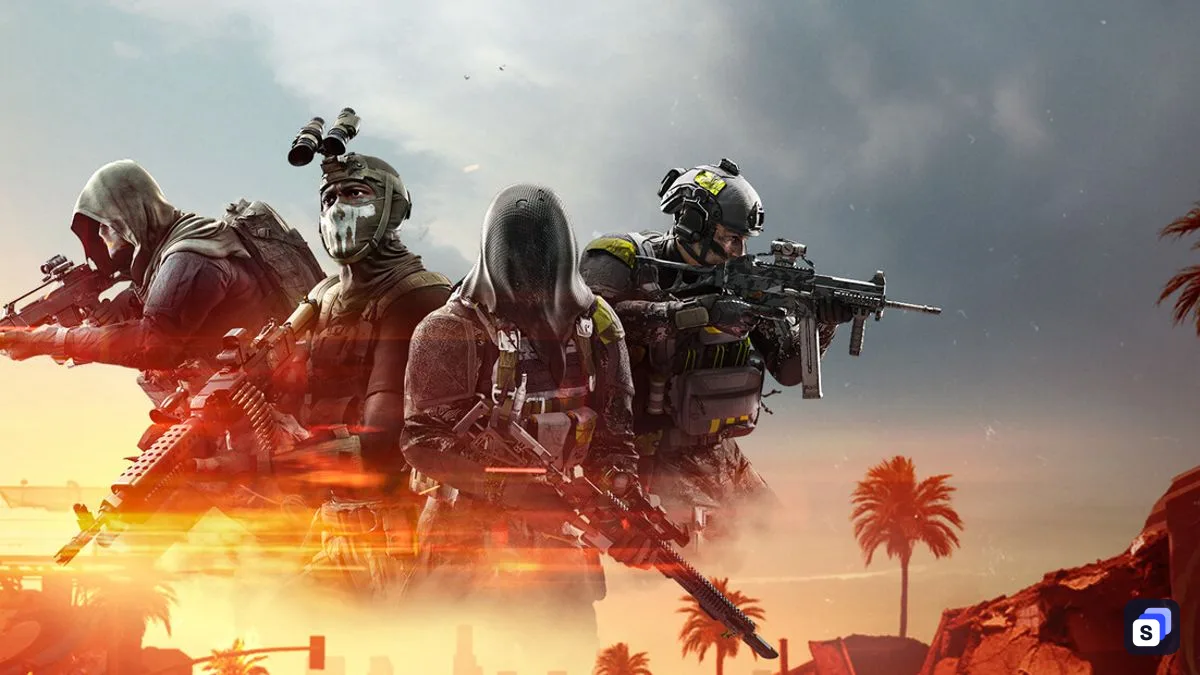
Yes, Battlefield 6 is cross-platform across PC, PlayStation 5, and Xbox Series X|S as of 14 October 2026. Cross-play is enabled by default, while game progress is stored through an EA Account linked to the platform profile you use.
Which platforms can play Battlefield 6 together?
Battlefield 6 supports cross-play between PC, PlayStation 5, and Xbox Series X|S. A player on any of those platforms can add friends through EA Connect and invite them to the same party before entering multiplayer matchmaking.
| Platform | Cross-play support | Can disable cross-play in-game? |
|---|---|---|
| PC | Plays with PC, PlayStation 5, and Xbox Series X | S |
| PlayStation 5 | Plays with PC and Xbox Series X | S when enabled |
| Xbox Series X | S | Plays with PC and PlayStation 5 when enabled |
The platform list matters because cross-play does not create compatibility with systems outside it. As of 14 October 2026, EA’s official cross-play guide names only PC, PlayStation 5, and Xbox Series X|S.
How Battlefield 6 cross-play matchmaking works
Cross-play starts enabled when you first play Battlefield 6. For console players, matchmaking prioritizes other console players and expands to PC players when there are not enough console players to form the match.
That preference is not a separate console-only cross-play switch. If a PlayStation 5 or Xbox Series X|S player turns cross-play off, EA says matchmaking becomes limited to people using the same platform, so a PlayStation player will not continue matching with Xbox players under that setting.
PC players remain in the cross-play pool because the in-game toggle is available only on PlayStation and Xbox consoles as of 14 October 2026. This corrects the earlier claim that PC users could disable cross-play or that disabling it on console preserved PlayStation-to-Xbox matchmaking.
How to add and invite cross-platform friends
EA Connect provides the shared friend system used to form a party across platforms. From the Battlefield 6 main screen, press R2 on PlayStation, RT on Xbox, or TAB on PC to open it.
- Open Player search in EA Connect.
- Enter the person’s EA ID or platform ID.
- Select the correct profile and choose Add friend.
- Ask the other player to accept the request in Friend requests.
- Open the Friends tab, then invite that player through the Party tab.
Adding someone as an EA friend keeps the connection available when that person uses a different supported platform. The party can then enter the same multiplayer matchmaking pool while cross-play is active.
Can you turn cross-play off?
PlayStation 5 and Xbox Series X|S players can disable cross-play from the settings menu. The option cannot be changed while the player is in a party, on a server, or has already started matchmaking.
- Open Battlefield 6 and select the cog icon.
- Select System.
- Find Setup.
- Toggle Cross-play off.
With cross-play disabled, matchmaking is restricted to the same platform. To play with friends on another supported system again, leave the active party, server, or queue if necessary, then return to the setting and enable cross-play.
Does Battlefield 6 support cross-save and cross-progression?
Battlefield 6 stores game progress through an EA Account rather than treating the platform profile as the sole home of that progress. In practical terms, this provides account-based progression when the correct PlayStation, Xbox, or Steam profile is connected to the EA Account used for Battlefield 6.
Traditional cross-save usually means transferring a local save file between systems. EA’s official access guide instead describes Battlefield 6 progress as being stored through the EA Account, so the more precise description is cross-progression rather than a manual cross-save transfer.
Before changing platforms, check the Connections page in the EA Account settings. The PlayStation, Xbox, or Steam profile should appear there; if it does not, that profile is not linked to the EA Account holding the Battlefield 6 progress.
What are the main cross-platform limitations?
Turning cross-play off on console removes other console brands as well as PC from matchmaking. The setting therefore offers same-platform play, not a PlayStation-and-Xbox-only pool, and PC players do not receive the same in-game toggle.
Cross-play and cross-progression also solve different problems. Cross-play controls who can share a party or match, while the EA Account controls where Battlefield 6 progress is stored; linking the wrong account can therefore affect progression even when multiplayer invitations still work.
The official EA guidance confirms account-based progress but does not describe a separate local save-transfer tool. Players moving between supported platforms should verify their account connections before starting, rather than assuming that a platform username alone determines which progress loads.
Questions
Is Battlefield 6 cross-platform between PC, PS5, and Xbox Series X|S?
Yes. As of 14 October 2026, PC, PlayStation 5, and Xbox Series X|S players can join one another through cross-play.
Can console players disable cross-play in Battlefield 6?
Yes. PlayStation 5 and Xbox Series X|S players can switch cross-play off under Settings, System, and Setup, but doing so limits matchmaking to the same platform.
Can PC players turn off cross-play in Battlefield 6?
No. As of 14 October 2026, EA says the cross-play setting can be viewed and changed only on PlayStation and Xbox consoles.
Does Battlefield 6 have cross-progression?
Yes, through the EA Account that stores game progress. Each platform profile must be connected to the EA Account you want that progress associated with.
How do you add a cross-platform friend in Battlefield 6?
Open EA Connect, use Player search, enter the person's EA or platform ID, and send a friend request. After it is accepted, invite that friend from the Party tab.
Sources
- How to use cross-play in Battlefield 6, EA Help · checked
- Battlefield 6 account linking and access guide, EA Help · checked

Guides written and checked by the SuperDuperBundle team against our own price data and the stores' published policies.